Yep, we may get a tiny thank-you (read: commission) when you buy through
links on Gadgetspotr — not enough for a yacht, but enough to keep the lights (and
servers) on.
Learn more
33
Highlights
54
Differences
7
Reactions
0
Likes
EINSTAR
vs
EINSTAR VEGA:
33 Highlights & 54 Differences —
Which Scanner Provides More Advanced Features?
Explore which model provides precise scanning and flexible use cases for professional or prosumer needs.
Choosing the better 3d scanner? This comparison shows EINSTAR vs EINSTAR VEGA side by side — from intended use, scanning method, portability & motion compensation to what users love.
Portable and Easy to Deploy
Indicates whether the scanner is designed to be easily carried and used in different locations.
with a difference of 0 points
Scanning Performance
6 fps faster scan speed
Indicates how quickly the scanner captures spatial data during operation.
20 fps
vs
14 fps
Einstar vs Einstar Vega: A Head-to-Head Prosumer and Professional 3D Scanning Showdown
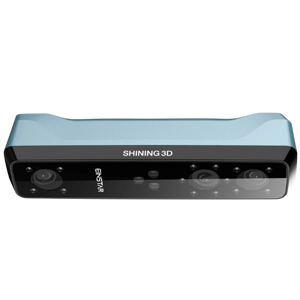
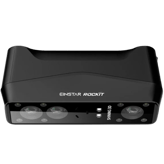
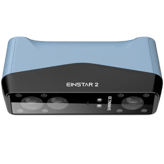
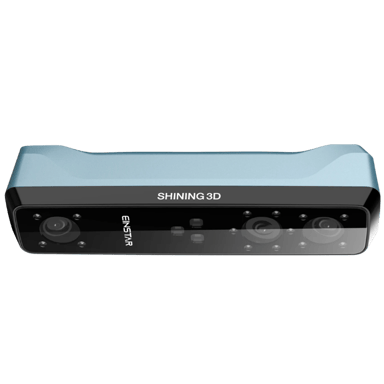
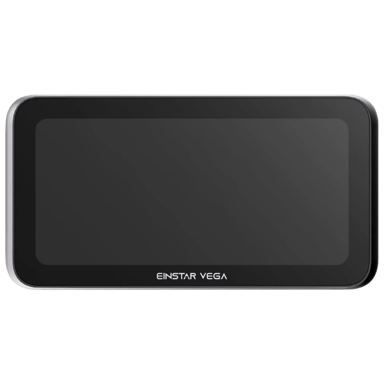
The Einstar and its newer counterpart, the Einstar Vega, are both structured light 3D scanners designed to meet scanning needs across industries like reverse engineering, 3D printing, healthcare, and design. Although they share core features such as handheld and fixed scanning modes, infrared light source technology, and motion compensation, the two devices differ significantly in their target user base and technological advancements. Einstar, released in 2022 as a prosumer-level scanner, offers solid accuracy and scanning volume in a non-portable form factor. In contrast, the 2024 professional-grade Einstar Vega improves portability with a built-in battery, supports scanning of shiny objects, and extends scanning range and accuracy, alongside more modern connectivity and multi-platform compatibility.
Why Einstar Shines Bright For Budget-Conscious Precision
The original Einstar, released in 2022, impresses users who prioritize excellent spatial precision without breaking the bank. With an accuracy of 0.00394 mm and a point distance of 0.00394 mm, it captures details with high fidelity, making it well-suited for industrial parts, organic shapes, and human body scanning. The device's ability to scan objects up to about 79 cm fits many standard applications, while maintaining a decent maximum volume of 2000³ mm. Its three-camera array enhances its depth capture, complemented by real-time preview and smoothing tools that aid workflow.
Connectivity is straightforward and stable through USB 3.0, although limited by the lack of wireless options or external storage capabilities. The scanner requires a Windows system, a dedicated GPU, and at least 16 GB of RAM, aligning with typical prosumer setups. One notable attribute is the manual per-session calibration method, which offers hands-on control to ensure accuracy without overcomplicating the process.
While it lacks portability, there is no built-in battery, and it does not support shiny objects or cloud processing, Einstar still includes tripod and turntable compatibility and a solid set of accessories, like a calibration board and carrying case. Most importantly, all these features come at a competitive price point of $759 at us.einstar.com, making it a robust choice for users focusing on quality scanning within a fixed setup.
Elevating Precision and Flexibility: The Pro-Level Einstar Vega
The Einstar Vega, debuting in 2024, takes many of the capable foundations set by its predecessor and advances them to a new professional standard. It achieves a remarkable accuracy of 0.002 mm and offers a significantly finer point distance of 0.0008 mm, which is vital for high precision applications in metrology and reverse engineering.
Its scanning volume is also notably larger, capable of accommodating objects close to two meters (197 cm), and it boasts an improved depth of field of 31.5 mm, giving users more room for dynamic and precise captures. While the dual cameras may seem less than Einstar's three, the inclusion of turntable scanning expands the Vega's versatility in scanning complex or delicate parts.
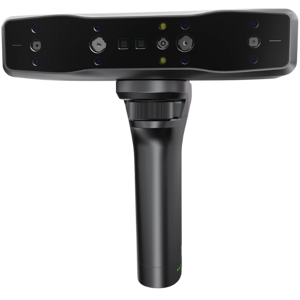
True portability is a game-changer here: the Vega weighs just about 1.18 kg and features a rechargeable lithium-ion battery with a 2-hour runtime, alongside external power support. These specs make it practical for on-the-go scanning tasks, unlike its predecessor. The Vega supports shiny object scanning, broadening scanning possibilities significantly.
Additionally, this scanner supports a wide array of platforms: Windows, macOS, Android, and iOS; and offers wireless connectivity options, including Wi-Fi and external storage capabilities. Cloud processing support enhances workflow flexibility, while hybrid calibration on demand reduces downtime and boosts accuracy.
Its comprehensive accessory set, including a power adapter and modern wireless features, justifies its professional category status, though all these benefits come with an elevated price tag of $1999 at us.einstar.com. For users requiring multi-device compatibility, cutting-edge scanning precision, and portability in demanding environments, the Vega steps firmly into the lead.
The Quick Take
The Einstar stands out as a cost-effective scanner delivering high accuracy and solid volume, perfect for fixed environments and Windows-based workflows. Meanwhile, the Einstar Vega excels in offering professional-grade precision, portability with a built-in battery, broader operating system compatibility, and enhanced features including cloud processing and shiny object scanning.
Bottom Line: Which EinStar Wins?
For budget-savvy users who prioritize dependable accuracy and do not need portability or cloud capabilities, the Einstar remains a compelling choice. However, the Einstar Vega's finer precision, extended scanning range, and modern connectivity make it the superior professional tool for varied and intensive use cases. The Vega's portability adds tangible value for field professionals and multi-platform users, justifying its higher cost for those who demand it.
Verdict
Winner: Einstar Vega - Offers exceptional accuracy, professional features, portability, and multi-platform support, making it a comprehensive scanner for advanced users.
Runner-up: Einstar - A reliable and budget-friendly scanner best suited for prosumer users focused on fixed use with Windows-only workflows.
Both EINSTAR and EINSTAR VEGA use the Structured Light scanning method. This commonality ensures reliable scanning quality across both models, suitable for standard 3D scanning needs.
Identifies the core technology used to capture 3D data.
In the battle of Scanning Method,
EINSTAR ◉ is
same as
EINSTAR VEGA ◉
.
Don’t keep it to yourself — be the first to react and review the
Scanning Method on EINSTAR ◉
vs EINSTAR VEGA ◉ and help others decide!
The Portability feature differs between EINSTAR and EINSTAR VEGA. EINSTAR is not portable, while EINSTAR VEGA is portable, making the latter more suitable for users needing mobility.
Indicates whether the scanner is designed to be easily carried and used in different locations.
In the battle of Portability,
EINSTAR ◉ is
worse than
EINSTAR VEGA ◉
.
Based on community votes for Portability,
EINSTAR ◉ earned
0 votes,
less than
EINSTAR VEGA ◉,
which got 1 votes.
Intended use for EINSTAR covers Reverse Engineering, 3D Printing, Metrology, Healthcare, Education, Design, AR/VR. EINSTAR VEGA excludes AR/VR. For broader application including AR/VR, EINSTAR is preferable.
Describes the primary applications the scanner is designed for.
In the battle of Intended Use,
EINSTAR ◉ is
same as
EINSTAR VEGA ◉
.
Don’t keep it to yourself — be the first to react and review the
Intended Use on EINSTAR ◉
vs EINSTAR VEGA ◉ and help others decide!
Release Year
What year was the scanner released?
0
EINSTAR
0Votes
2022
0
EINSTAR VEGA
0Votes
2024
vs
Release Year
EINSTAR was released in 2022, while EINSTAR VEGA is newer, released in 2024. For users seeking the latest technology, EINSTAR VEGA is more suitable.
Shows the year the scanner model was first introduced to the market.
In the battle of Release Year,
EINSTAR ◉ is
same as
EINSTAR VEGA ◉
.
Don’t keep it to yourself — be the first to react and review the
Release Year on EINSTAR ◉
vs EINSTAR VEGA ◉ and help others decide!
Product Type
What is the product type?
0
EINSTAR
0Votes
Portable
0
EINSTAR VEGA
0Votes
Portable
Defines the physical and functional form factor of the 3D scanner.
In the battle of Product Type,
EINSTAR ◉ is
same as
EINSTAR VEGA ◉
.
Don’t keep it to yourself — be the first to react and review the
Product Type on EINSTAR ◉
vs EINSTAR VEGA ◉ and help others decide!
Scanner Category
What scanner category does it belong to?
0
EINSTAR
0Votes
Prosumer
0
EINSTAR VEGA
0Votes
Professional
vs
Scanner Category
EINSTAR is categorized as a Prosumer scanner, while EINSTAR VEGA is Professional. Professionals may prefer EINSTAR VEGA for advanced features and reliability.
Indicates the market segment and typical performance class of the scanner.
In the battle of Scanner Category,
EINSTAR ◉ is
same as
EINSTAR VEGA ◉
.
Don’t keep it to yourself — be the first to react and review the
Scanner Category on EINSTAR ◉
vs EINSTAR VEGA ◉ and help others decide!
Mounting Type
How is the scanner mounted?
0
EINSTAR
0Votes
Handheld
0
EINSTAR VEGA
0Votes
Handheld, Tripod
Specifies how the scanner can be positioned or supported during use.
In the battle of Mounting Type,
EINSTAR ◉ is
same as
EINSTAR VEGA ◉
.
Don’t keep it to yourself — be the first to react and review the
Mounting Type on EINSTAR ◉
vs EINSTAR VEGA ◉ and help others decide!
Country of Manufacture
Where is the scanner manufactured?
0
EINSTAR
0Votes
China
0
EINSTAR VEGA
0Votes
China
Indicates where the scanner is primarily manufactured or assembled.
In the battle of Country of Manufacture,
EINSTAR ◉ is
same as
EINSTAR VEGA ◉
.
Don’t keep it to yourself — be the first to react and review the
Country of Manufacture on EINSTAR ◉
vs EINSTAR VEGA ◉ and help others decide!
Motion Compensation is supported by both EINSTAR and EINSTAR VEGA, enhancing scanning accuracy in dynamic conditions for both models.
Indicates support for compensating object or operator movement.
In the battle of Motion Compensation,
EINSTAR ◉ is
same as
EINSTAR VEGA ◉
.
Don’t keep it to yourself — be the first to react and review the
Motion Compensation on EINSTAR ◉
vs EINSTAR VEGA ◉ and help others decide!
Scan Speed
What is the scan speed?
14
fps
0Votes
20
fps
0Votes
EINSTAR
Scan speed is 14 fps, which governs how many frames the device captures per second and affects real-time smoothness.
Faster frame rates help when scanning moving or handheld subjects to reduce motion artifacts.
EINSTAR VEGA
The scan speed is 20 frames per second, allowing for relatively quick capture of data and efficient scanning workflows.
Indicates how quickly the scanner captures spatial data during operation.
In the battle of Scan Speed,
EINSTAR ◉ is
worse than
EINSTAR VEGA ◉
, delivering
lower
6.0 fps
measurement.
Don’t keep it to yourself — be the first to react and review the
Scan Speed on EINSTAR ◉
vs EINSTAR VEGA ◉ and help others decide!
Single Scan Time
How long does a single scan take?
Who knows?
0Votes
EINSTAR
(Help us out by suggesting one!)
0.5
sec
1Votes
vs
Single Scan Time
EINSTAR lacks a specified Single Scan Time, whereas EINSTAR VEGA completes a single scan in 0.5 seconds. Faster scanning makes EINSTAR VEGA more efficient for time-sensitive tasks.
Measures the time required to complete a single scan pass.
Based on community votes for Single Scan Time,
EINSTAR ◉ earned
0 votes,
less than
EINSTAR VEGA ◉,
which got 1 votes.
The single scan time on EINSTAR VEGA is super fast just half a second which is impressive.
See more
Frames Per Second
How many frames per second does it capture?
14
fps
0Votes
15
fps
0Votes
vs
Frames Per Second
EINSTAR scans at 14 frames per second, while EINSTAR VEGA slightly improves with 15 fps. The higher frame rate of EINSTAR VEGA offers smoother scanning results.
Represents the number of frames captured per second during scanning.
In the battle of Frames Per Second,
EINSTAR ◉ is
worse than
EINSTAR VEGA ◉
, delivering
lower
1.0 fps
measurement.
Don’t keep it to yourself — be the first to react and review the
Frames Per Second on EINSTAR ◉
vs EINSTAR VEGA ◉ and help others decide!
Continuous Scan
Does it support continuous scanning?
Yes
0Votes
EINSTAR
Yes
0Votes
EINSTAR VEGA
Indicates whether the scanner supports uninterrupted continuous scanning.
In the battle of Continuous Scan,
EINSTAR ◉ is
same as
EINSTAR VEGA ◉
.
Don’t keep it to yourself — be the first to react and review the
Continuous Scan on EINSTAR ◉
vs EINSTAR VEGA ◉ and help others decide!
Real-Time Processing
Is real-time processing available?
Yes
0Votes
EINSTAR
Yes
0Votes
EINSTAR VEGA
Shows whether scan data is processed live during capture.
In the battle of Real-Time Processing,
EINSTAR ◉ is
same as
EINSTAR VEGA ◉
.
Don’t keep it to yourself — be the first to react and review the
Real-Time Processing on EINSTAR ◉
vs EINSTAR VEGA ◉ and help others decide!
Scan Stability
How stable is the scanning process?
0
EINSTAR
0Votes
High
0
EINSTAR VEGA
0Votes
High
vs
Scan Stability
Scan Stability is rated High for both EINSTAR and EINSTAR VEGA, indicating reliable and steady scanning performance in both models.
Describes how stable and consistent scans remain during movement.
In the battle of Scan Stability,
EINSTAR ◉ is
same as
EINSTAR VEGA ◉
.
Don’t keep it to yourself — be the first to react and review the
Scan Stability on EINSTAR ◉
vs EINSTAR VEGA ◉ and help others decide!
Tracking Performance
How good is the tracking performance?
0
EINSTAR
0Votes
Excellent
0
EINSTAR VEGA
0Votes
Excellent
Indicates how well the scanner maintains tracking of the object.
In the battle of Tracking Performance,
EINSTAR ◉ is
same as
EINSTAR VEGA ◉
.
Don’t keep it to yourself — be the first to react and review the
Tracking Performance on EINSTAR ◉
vs EINSTAR VEGA ◉ and help others decide!
Rescan Requirement
Does it often require rescanning?
No
0Votes
EINSTAR
No
0Votes
EINSTAR VEGA
vs
Rescan Requirement
Both EINSTAR and EINSTAR VEGA do not require rescan, simplifying workflow consistency across both scanners.
Shows whether rescanning is often needed to complete a model.
In the battle of Rescan Requirement,
EINSTAR ◉ is
same as
EINSTAR VEGA ◉
.
Don’t keep it to yourself — be the first to react and review the
Rescan Requirement on EINSTAR ◉
vs EINSTAR VEGA ◉ and help others decide!
Multi-Scan Alignment
Does it support multi-scan alignment?
Yes
0Votes
EINSTAR
Yes
0Votes
EINSTAR VEGA
Specifies whether multiple scans can be automatically aligned.
In the battle of Multi-Scan Alignment,
EINSTAR ◉ is
same as
EINSTAR VEGA ◉
.
Don’t keep it to yourself — be the first to react and review the
Multi-Scan Alignment on EINSTAR ◉
vs EINSTAR VEGA ◉ and help others decide!
Accuracy & Resolution
10
Single Scan Accuracy
What is the single scan accuracy?
0
inch
0Votes
0
inch
0Votes
vs
Single Scan Accuracy
Single Scan Accuracy for EINSTAR is 0.00394 inches while EINSTAR VEGA improves this to 0.002 inches, providing more precise scans in the newer model.
Measures the dimensional deviation within a single scan capture.
In the battle of Single Scan Accuracy,
EINSTAR ◉ is
better than
EINSTAR VEGA ◉
, delivering
equal
0.00 inch
measurement.
Don’t keep it to yourself — be the first to react and review the
Single Scan Accuracy on EINSTAR ◉
vs EINSTAR VEGA ◉ and help others decide!
Resolution Level
What is the resolution level?
0
inch
0Votes
0
inch
0Votes
EINSTAR
A point resolution of 0.00394 inch corresponds to 0.01001 cm, indicating the scanner can capture very fine surface details.
Higher resolution (smaller distance) is beneficial for small or detailed objects where precision is critical.
EINSTAR VEGA
Resolution level is 0.0008 inch (0.0203 mm), indicating the finest detail the scanner can distinguish, beneficial for highly detailed scans.
Represents the smallest detail size the scanner can resolve.
In the battle of Resolution Level,
EINSTAR ◉ is
better than
EINSTAR VEGA ◉
, delivering
equal
0.00 inch
measurement.
Don’t keep it to yourself — be the first to react and review the
Resolution Level on EINSTAR ◉
vs EINSTAR VEGA ◉ and help others decide!
Measurement Repeatability
How repeatable are measurements?
0
inch
0Votes
0
inch
0Votes
EINSTAR VEGA
Measurement repeatability is 0.002 inch (0.051 mm), indicating the scanner's ability to consistently reproduce precise measurements, vital for quality control and reverse engineering.
Shows how consistent measurements are across repeated scans.
In the battle of Measurement Repeatability,
EINSTAR ◉ is
better than
EINSTAR VEGA ◉
, delivering
equal
0.00 inch
measurement.
Don’t keep it to yourself — be the first to react and review the
Measurement Repeatability on EINSTAR ◉
vs EINSTAR VEGA ◉ and help others decide!
Calibration Accuracy
What is the calibration accuracy?
0
inch
0Votes
0
inch
0Votes
EINSTAR
Calibration accuracy of 0.00197 inch corresponds to 0.00500 cm, indicating the potential baseline error introduced during calibration.
Tighter calibration accuracy supports higher-precision measurement and metrology tasks.
Indicates accuracy achieved after proper calibration.
In the battle of Calibration Accuracy,
EINSTAR ◉ is
worse than
EINSTAR VEGA ◉
, delivering
equal
0.00 inch
measurement.
Don’t keep it to yourself — be the first to react and review the
Calibration Accuracy on EINSTAR ◉
vs EINSTAR VEGA ◉ and help others decide!
Point Distance
What is the point distance?
0
inch
0Votes
0
inch
1Votes
vs
Point Distance
EINSTAR’s point distance is 0.00394 inches compared to the superior 0.0008 inches of EINSTAR VEGA. This finer resolution makes EINSTAR VEGA better for high-detail scanning.
Defines the distance between captured data points on the surface.
In the battle of Point Distance,
EINSTAR ◉ is
worse than
EINSTAR VEGA ◉
, delivering
equal
0.00 inch
measurement.
Based on community votes for Point Distance,
EINSTAR ◉ earned
0 votes,
less than
EINSTAR VEGA ◉,
which got 1 votes.
Point distance is way smaller on EINSTAR VEGA making it way more precise for detailed work.
See more
Volumetric Accuracy
What is the volumetric accuracy?
0.01
inch
0Votes
0
inch
0Votes
Indicates accuracy across the entire scanned volume.
In the battle of Volumetric Accuracy,
EINSTAR ◉ is
better than
EINSTAR VEGA ◉
, delivering
equal
0.01 inch
measurement.
Don’t keep it to yourself — be the first to react and review the
Volumetric Accuracy on EINSTAR ◉
vs EINSTAR VEGA ◉ and help others decide!
Detail Capture Quality
How good is the detail capture quality?
0
EINSTAR
0Votes
High
0
EINSTAR VEGA
0Votes
High
vs
Detail Capture Quality
Both scanners offer High Detail Capture Quality, guaranteeing excellent precision for detailed 3D models.
Describes how well small features and textures are preserved.
In the battle of Detail Capture Quality,
EINSTAR ◉ is
same as
EINSTAR VEGA ◉
.
Don’t keep it to yourself — be the first to react and review the
Detail Capture Quality on EINSTAR ◉
vs EINSTAR VEGA ◉ and help others decide!
Edge Sharpness
How sharp are captured edges?
0
EINSTAR
0Votes
Sharp
0
EINSTAR VEGA
0Votes
Sharp
Indicates how clearly edges and boundaries are defined.
In the battle of Edge Sharpness,
EINSTAR ◉ is
same as
EINSTAR VEGA ◉
.
Don’t keep it to yourself — be the first to react and review the
Edge Sharpness on EINSTAR ◉
vs EINSTAR VEGA ◉ and help others decide!
Surface Noise Level
What is the surface noise level?
0
EINSTAR
0Votes
Low
0
EINSTAR VEGA
0Votes
Low
vs
Surface Noise Level
Surface Noise Level is low for both EINSTAR and EINSTAR VEGA, ensuring clean, detailed scans suitable for most applications.
Reflects the amount of unwanted surface artifacts in scans.
In the battle of Surface Noise Level,
EINSTAR ◉ is
same as
EINSTAR VEGA ◉
.
Don’t keep it to yourself — be the first to react and review the
Surface Noise Level on EINSTAR ◉
vs EINSTAR VEGA ◉ and help others decide!
Accuracy Degradation Range
How much does accuracy degrade at range?
Who knows?
0Votes
EINSTAR
(Help us out by suggesting one!)
0.02
inch
0Votes
vs
Accuracy Degradation Range
EINSTAR does not provide Accuracy Degradation Range data, whereas EINSTAR VEGA specifies 0.02 inches. This info helps professional users better understand performance margins, favoring EINSTAR VEGA.
Measures how accuracy declines at extreme distances or volumes.
Don’t keep it to yourself — be the first to react and review the
Accuracy Degradation Range on EINSTAR ◉
vs EINSTAR VEGA ◉ and help others decide!
Who knows?
0Votes
EINSTAR VEGA
(Help us out by suggesting one!)
vs
Minimum Scan Volume
EINSTAR specifies a Minimum Scan Volume of 100 × 100 × 100 mm, while EINSTAR VEGA does not provide this data. For users requiring known minimum volume, EINSTAR is preferable.
Describes the smallest effective 3D space the scanner can accurately capture.
Don’t keep it to yourself — be the first to react and review the
Minimum Scan Volume on EINSTAR ◉
vs EINSTAR VEGA ◉ and help others decide!
Minimum Object Size
What is the minimum object size?
3.94
inch
0Votes
3.94
inch
0Votes
EINSTAR
Minimum object size of 3.94 inch corresponds to 10.01 cm, meaning objects smaller than this may be difficult to fully register without specialized setups.
For very small items, consider macro scanning accessories or turntable setups.
EINSTAR VEGA
Minimum object size that can be scanned is 3.94 inch (10.0 cm), defining the smallest target suitable for this device to scan effectively.
Indicates the smallest object dimension that can be reliably scanned.
In the battle of Minimum Object Size,
EINSTAR ◉ is
same as
EINSTAR VEGA ◉
, delivering
equal
3.94 inch
measurement.
Don’t keep it to yourself — be the first to react and review the
Minimum Object Size on EINSTAR ◉
vs EINSTAR VEGA ◉ and help others decide!
Maximum Scan Distance
What is the maximum scan distance?
6.3
inch
0Votes
59.06
inch
0Votes
EINSTAR
Maximum scan distance of 6.3 inch is approximately 16.00 cm, defining the effective working distance from the sensor to the object.
Staying within that range helps maintain optimal accuracy and texture capture.
EINSTAR VEGA
The maximum scan distance is 59.055 inch (150.0 cm), defining the farthest range at which the scanner can effectively capture objects.
Indicates the farthest distance at which scanning remains effective.
In the battle of Maximum Scan Distance,
EINSTAR ◉ is
worse than
EINSTAR VEGA ◉
, delivering
lower
52.8 inch
measurement.
Don’t keep it to yourself — be the first to react and review the
Maximum Scan Distance on EINSTAR ◉
vs EINSTAR VEGA ◉ and help others decide!
Depth of Field
What is the depth of field?
6.3
inch
0Votes
31.5
inch
0Votes
vs
Depth of Field
Depth of Field for EINSTAR is 6.3 inches; EINSTAR VEGA significantly extends this to 31.5 inches, enabling better focus range and versatility.
Describes the usable distance range where objects remain in focus.
In the battle of Depth of Field,
EINSTAR ◉ is
worse than
EINSTAR VEGA ◉
, delivering
lower
25.2 inch
measurement.
Don’t keep it to yourself — be the first to react and review the
Depth of Field on EINSTAR ◉
vs EINSTAR VEGA ◉ and help others decide!
Field of View Width
What is the field of view width?
17.08
inch
0Votes
17.7
inch
0Votes
EINSTAR
Field of view width of 17.08 inch converts to 43.38 cm, representing the horizontal scene captured per frame.
A wider FOV reduces the number of passes needed for broad surfaces.
EINSTAR VEGA
Field of view width is 17.7 inch (44.96 cm), indicating the horizontal area the scanner can capture in a single frame.
Measures the horizontal capture width in a single scan frame.
In the battle of Field of View Width,
EINSTAR ◉ is
worse than
EINSTAR VEGA ◉
, delivering
lower
0.6 inch
measurement.
Don’t keep it to yourself — be the first to react and review the
Field of View Width on EINSTAR ◉
vs EINSTAR VEGA ◉ and help others decide!
Field of View Height
What is the field of view height?
14.92
inch
0Votes
13.8
inch
0Votes
EINSTAR
Field of view height of 14.92 inch equals 37.88 cm, indicating the vertical span the scanner captures in a single frame.
A larger FOV height speeds coverage of taller objects at the cost of per-area detail.
EINSTAR VEGA
Field of view height is 13.8 inch (35.05 cm), describing the vertical coverage area captured in a single scan.
Measures the vertical capture height in a single scan frame.
In the battle of Field of View Height,
EINSTAR ◉ is
better than
EINSTAR VEGA ◉
, delivering
higher
1.1 inch
measurement.
Don’t keep it to yourself — be the first to react and review the
Field of View Height on EINSTAR ◉
vs EINSTAR VEGA ◉ and help others decide!
Maximum Scan Volume
What is the maximum scan volume?
0
EINSTAR
0Votes
2000 × 2000 × 2000 mm
Who knows?
0Votes
EINSTAR VEGA
(Help us out by suggesting one!)
vs
Maximum Scan Volume
EINSTAR specifies Maximum Scan Volume at 2000 × 2000 × 2000 mm, but EINSTAR VEGA does not provide this data. Users needing volume specs may prefer EINSTAR.
Defines the largest 3D space the scanner can capture in a single or combined scan.
Don’t keep it to yourself — be the first to react and review the
Maximum Scan Volume on EINSTAR ◉
vs EINSTAR VEGA ◉ and help others decide!
Minimum Scan Distance
What is the minimum scan distance?
6.3
inch
0Votes
3.94
inch
0Votes
vs
Minimum Scan Distance
EINSTAR’s Minimum Scan Distance is 6.3 inches, compared to 3.937 inches for EINSTAR VEGA. Closer scanning on VEGA allows for finer details on small objects.
Represents the closest distance the scanner can be to the object.
In the battle of Minimum Scan Distance,
EINSTAR ◉ is
worse than
EINSTAR VEGA ◉
, delivering
higher
2.4 inch
measurement.
Don’t keep it to yourself — be the first to react and review the
Minimum Scan Distance on EINSTAR ◉
vs EINSTAR VEGA ◉ and help others decide!
Optical Filter Type is IR Cut in both models, ensuring optimal image clarity by filtering infrared light.
Describes the type of optical filtering used to improve the quality of captured scans.
In the battle of Optical Filter Type,
EINSTAR ◉ is
same as
EINSTAR VEGA ◉
.
Don’t keep it to yourself — be the first to react and review the
Optical Filter Type on EINSTAR ◉
vs EINSTAR VEGA ◉ and help others decide!
Camera Resolution
What is the camera resolution?
1.3
mp
0Votes
1.3
mp
0Votes
vs
Camera Resolution
Camera Resolution is identical at 1.3 mp for both EINSTAR and EINSTAR VEGA, offering consistent imaging capability.
Specifies the resolution of the capture cameras.
In the battle of Camera Resolution,
EINSTAR ◉ is
same as
EINSTAR VEGA ◉
, delivering
equal
1.30 mp
measurement.
Don’t keep it to yourself — be the first to react and review the
Camera Resolution on EINSTAR ◉
vs EINSTAR VEGA ◉ and help others decide!
Sensor Type
What type of sensor does it use?
0
EINSTAR
0Votes
CMOS
0
EINSTAR VEGA
0Votes
CMOS
EINSTAR VEGA
The sensor type is CMOS, which offers good image quality with lower power consumption compared to CCD sensors.
Identifies the primary sensor technology used for depth capture.
In the battle of Sensor Type,
EINSTAR ◉ is
same as
EINSTAR VEGA ◉
.
Don’t keep it to yourself — be the first to react and review the
Sensor Type on EINSTAR ◉
vs EINSTAR VEGA ◉ and help others decide!
Light Source Wavelength
What is the light wavelength?
0
nm
0Votes
850
nm
0Votes
EINSTAR VEGA
The light source wavelength is 850 nm, placing it in the near-infrared spectrum common for depth sensing and detailed scanning.
Indicates the wavelength of the emitted light.
In the battle of Light Source Wavelength,
EINSTAR ◉ is
same as
EINSTAR VEGA ◉
.
Don’t keep it to yourself — be the first to react and review the
Light Source Wavelength on EINSTAR ◉
vs EINSTAR VEGA ◉ and help others decide!
Number of Cameras
How many cameras are included?
0
EINSTAR
0Votes
3
0
EINSTAR VEGA
0Votes
2
vs
Number of Cameras
EINSTAR uses 3 cameras, whereas EINSTAR VEGA uses 2 cameras. More cameras on EINSTAR might help multi-angle capture but VEGA compensates with other updated specs.
Indicates how many cameras are used for scanning.
In the battle of Number of Cameras,
EINSTAR ◉ is
same as
EINSTAR VEGA ◉
.
Don’t keep it to yourself — be the first to react and review the
Number of Cameras on EINSTAR ◉
vs EINSTAR VEGA ◉ and help others decide!
Laser Class
What laser class does it meet?
0
EINSTAR
0Votes
Class 1
0
EINSTAR VEGA
0Votes
Class 1
Specifies the laser safety classification.
In the battle of Laser Class,
EINSTAR ◉ is
same as
EINSTAR VEGA ◉
.
Don’t keep it to yourself — be the first to react and review the
Laser Class on EINSTAR ◉
vs EINSTAR VEGA ◉ and help others decide!
Color Camera Presence
Is there a color camera?
Yes
0Votes
EINSTAR
Yes
0Votes
EINSTAR VEGA
Shows whether a dedicated color camera is included.
In the battle of Color Camera Presence,
EINSTAR ◉ is
same as
EINSTAR VEGA ◉
.
Don’t keep it to yourself — be the first to react and review the
Color Camera Presence on EINSTAR ◉
vs EINSTAR VEGA ◉ and help others decide!
Indicates effectiveness when scanning freeform or organic shapes.
In the battle of Organic Shape Scanning,
EINSTAR ◉ is
same as
EINSTAR VEGA ◉
.
Don’t keep it to yourself — be the first to react and review the
Organic Shape Scanning on EINSTAR ◉
vs EINSTAR VEGA ◉ and help others decide!
Supported Object Materials
What materials can be scanned?
0
EINSTAR
0Votes
Plastic, Metal, Wood, Clay, Fabric, Stone
0
EINSTAR VEGA
0Votes
Plastic, Metal, Wood, Clay, Fabric, Stone
EINSTAR
Supported object materials include Plastic, Metal, Wood, Clay, Fabric, and Stone, covering a wide range of common scan subjects.
Material versatility means fewer surface preparation steps for many use cases, though reflective or transparent surfaces may still require special handling.
EINSTAR VEGA
Supported object materials include plastic, metal, wood, clay, fabric, and stone, showing the scanner's versatility across diverse surfaces.
Lists common materials the scanner can capture effectively.
In the battle of Supported Object Materials,
EINSTAR ◉ is
same as
EINSTAR VEGA ◉
.
Don’t keep it to yourself — be the first to react and review the
Supported Object Materials on EINSTAR ◉
vs EINSTAR VEGA ◉ and help others decide!
Dark Object
Can it scan dark objects?
Yes
0Votes
EINSTAR
Yes
0Votes
EINSTAR VEGA
Indicates whether dark or black surfaces can be scanned without coating.
In the battle of Dark Object,
EINSTAR ◉ is
same as
EINSTAR VEGA ◉
.
Don’t keep it to yourself — be the first to react and review the
Dark Object on EINSTAR ◉
vs EINSTAR VEGA ◉ and help others decide!
Shiny Object
Can it scan shiny objects?
No
0Votes
EINSTAR
Yes
0Votes
EINSTAR VEGA
Shows whether reflective or glossy surfaces are supported.
In the battle of Shiny Object,
EINSTAR ◉ is
worse than
EINSTAR VEGA ◉
.
Don’t keep it to yourself — be the first to react and review the
Shiny Object on EINSTAR ◉
vs EINSTAR VEGA ◉ and help others decide!
Transparent Object
Can it scan transparent objects?
No
0Votes
EINSTAR
No
0Votes
EINSTAR VEGA
Indicates support for clear or transparent materials.
In the battle of Transparent Object,
EINSTAR ◉ is
same as
EINSTAR VEGA ◉
.
Don’t keep it to yourself — be the first to react and review the
Transparent Object on EINSTAR ◉
vs EINSTAR VEGA ◉ and help others decide!
Human Body Scanning
Can it scan the human body?
Yes
0Votes
EINSTAR
Yes
0Votes
EINSTAR VEGA
Shows whether full or partial human body scanning is supported.
In the battle of Human Body Scanning,
EINSTAR ◉ is
same as
EINSTAR VEGA ◉
.
Don’t keep it to yourself — be the first to react and review the
Human Body Scanning on EINSTAR ◉
vs EINSTAR VEGA ◉ and help others decide!
Face Scanning
Can it scan faces?
Yes
0Votes
EINSTAR
Yes
0Votes
EINSTAR VEGA
Indicates suitability for facial scanning applications.
In the battle of Face Scanning,
EINSTAR ◉ is
same as
EINSTAR VEGA ◉
.
Don’t keep it to yourself — be the first to react and review the
Face Scanning on EINSTAR ◉
vs EINSTAR VEGA ◉ and help others decide!
Industrial Part Scanning
Can it scan industrial parts?
Yes
0Votes
EINSTAR
Yes
0Votes
EINSTAR VEGA
Shows whether rigid mechanical or industrial parts can be scanned accurately.
In the battle of Industrial Part Scanning,
EINSTAR ◉ is
same as
EINSTAR VEGA ◉
.
Don’t keep it to yourself — be the first to react and review the
Industrial Part Scanning on EINSTAR ◉
vs EINSTAR VEGA ◉ and help others decide!
Indicates compliance with environmental regulations.
In the battle of Environmental Compliance,
EINSTAR ◉ is
same as
EINSTAR VEGA ◉
.
Don’t keep it to yourself — be the first to react and review the
Environmental Compliance on EINSTAR ◉
vs EINSTAR VEGA ◉ and help others decide!
Safety Certifications
What safety certifications does it have?
0
EINSTAR
0Votes
CE, FCC, RoHS
0
EINSTAR VEGA
0Votes
CE, FCC, RoHS
EINSTAR
Safety and compliance certifications include CE, FCC, and RoHS, covering regional safety, electromagnetic compatibility, and hazardous-material restrictions.
These certifications facilitate deployment in many commercial and professional environments.
Lists general safety certifications the scanner complies with.
In the battle of Safety Certifications,
EINSTAR ◉ is
same as
EINSTAR VEGA ◉
.
Don’t keep it to yourself — be the first to react and review the
Safety Certifications on EINSTAR ◉
vs EINSTAR VEGA ◉ and help others decide!
Laser Safety Compliance
Is it laser safety compliant?
Yes
0Votes
EINSTAR
Yes
0Votes
EINSTAR VEGA
Indicates compliance with laser safety regulations.
In the battle of Laser Safety Compliance,
EINSTAR ◉ is
same as
EINSTAR VEGA ◉
.
Don’t keep it to yourself — be the first to react and review the
Laser Safety Compliance on EINSTAR ◉
vs EINSTAR VEGA ◉ and help others decide!
EMC Compliance
Is it EMC compliant?
Yes
0Votes
EINSTAR
Yes
0Votes
EINSTAR VEGA
Shows compliance with electromagnetic compatibility standards.
In the battle of EMC Compliance,
EINSTAR ◉ is
same as
EINSTAR VEGA ◉
.
Don’t keep it to yourself — be the first to react and review the
EMC Compliance on EINSTAR ◉
vs EINSTAR VEGA ◉ and help others decide!
Industry Standards Compliance
Which industry standards are supported?
0
EINSTAR
0Votes
IEC
0
EINSTAR VEGA
0Votes
IEC
Describes adherence to industry-specific standards.
In the battle of Industry Standards Compliance,
EINSTAR ◉ is
same as
EINSTAR VEGA ◉
.
Don’t keep it to yourself — be the first to react and review the
Industry Standards Compliance on EINSTAR ◉
vs EINSTAR VEGA ◉ and help others decide!
Export Restrictions
Are there export restrictions?
No
0Votes
EINSTAR
No
0Votes
EINSTAR VEGA
Indicates whether there are any export or regional usage restrictions.
In the battle of Export Restrictions,
EINSTAR ◉ is
same as
EINSTAR VEGA ◉
.
Don’t keep it to yourself — be the first to react and review the
Export Restrictions on EINSTAR ◉
vs EINSTAR VEGA ◉ and help others decide!
 Supermod
 Moderator

 Recaptor
 0
Cartling
0
Cartling