Yep, we may get a tiny thank-you (read: commission) when you buy through
links on Gadgetspotr — not enough for a yacht, but enough to keep the lights (and
servers) on.
Learn more
28
Highlights
48
Differences
8
Reactions
0
Likes
EINSTAR
vs
Creality Otter Lite:
28 Highlights & 48 Differences —
Which Supports More Systems Better?
A quick dive into supported platforms for both scanners.
What sets EINSTAR apart from Creality Otter Lite? This 3d scanners face-off compares specs like scanner category, scanning method, frames per second & single scan time and beyond.
EINSTAR vs Creality Otter Lite 3D Scanner Comparison: Precision Meets Portability
When deciding between the EINSTAR and the Creality Otter Lite 3D scanners, you are essentially choosing between two capable structured light scanning devices tailored for diverse use cases, including reverse engineering, 3D printing, design, and education. Both models boast high-quality detail capture and real-time preview capabilities, and support multiple scanning modes like handheld and fixed scanning. However, the core distinctions lie in scanning speed, accuracy, portability, and additional smart functionalities such as battery operation and wireless connectivity. These factors ultimately define how each scanner suits specific environments and workflows.
Strengths of the EINSTAR 3D Scanner: Reliable Powerhouse for Larger Scans
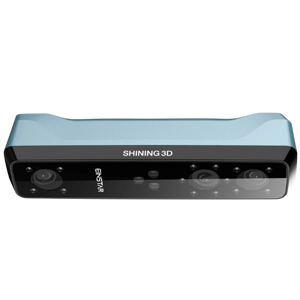
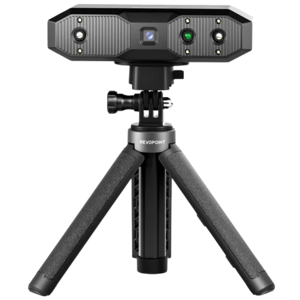
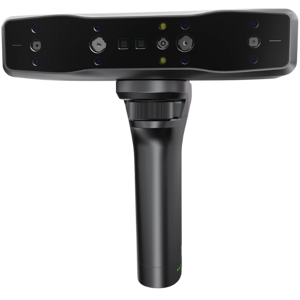
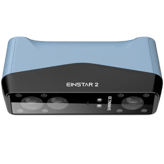
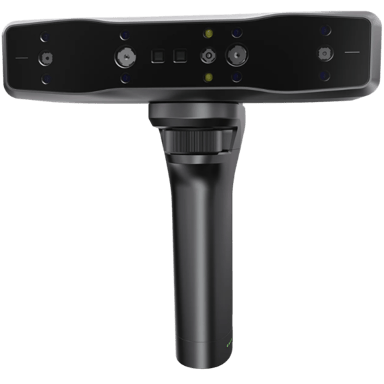
The EINSTAR 3D scanner shines in scenarios where volume and a comprehensive camera setup are top priorities. It features three cameras at 1.3 MP resolution each to produce detailed scans, supported by infrared structured light with an IR cut filter for precise surface detection. Unlike its competitor, EINSTAR specifies an immense maximum scan volume of 2000 × 2000 × 2000 mm, making it highly suitable for larger objects and expansive scanning tasks.
Its power consumption is somewhat conservative at 10W, providing longer usage without external power, albeit lacking battery support. EINSTAR is unique in supporting mobile device compatibility, offering flexibility for users who prefer scanning on Windows and mobile platforms. The unit's weight of 1.1 kg and wider footprint (8.66 inches wide) reflect its prosumer nature, balancing ergonomics with a robust build.
Additionally, EINSTAR's thorough approach to calibration through manual calibration per session ensures consistent scan stability, a critical factor for professional applications. For transport and protection, the package includes a carrying case, making it convenient for on-site professionals seeking secure mobility.
Creality Otter Lite: Agile, Accurate, and Packed with Modern Features
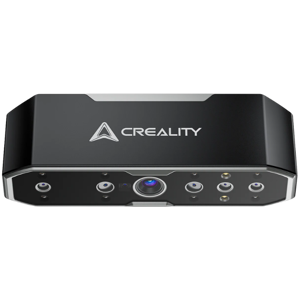
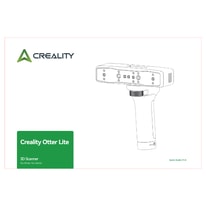
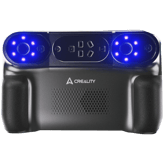
On the flip side, the Creality Otter Lite 3D scanner bests EINSTAR in speed and precision, engineered as a consumer-friendly but highly capable device. It delivers a blazing 2-second single scan time with smooth performance at 30 FPS, more than doubling EINSTAR's frame rate. Its laser-sharp 0.00079 mm accuracy and fine-grain 0.00197 mm point distance position it as the premier choice for detailed scanning requiring minimal error margins.
Compact and lightweight at just 0.7 kg, the Otter Lite supports wireless connectivity alongside a swift 5 Gbps USB interface, enhancing its compatibility with Windows and macOS systems. Users appreciate its 3-hour battery life, catering to prolonged cordless sessions, and its vibration resistance enables greater durability in dynamic settings.
Of particular note is the Otter Lite's ability to scan shiny objects effectively, a challenging material type that EINSTAR does not support. Its extended depth of field of 33.46 mm and minimal scanning volume support starting at 50 × 50 × 50 mm, also allowing for intricate scanning of smaller, delicate components. Plus, the inclusion of turntable scanning adds a layer of convenience for precise object rotation capture.
Quick Take
EINSTAR stands out with its expansive scan volume, triple camera configuration, and smartphone compatibility, making it ideal for large-scale projects and versatile device integration. Meanwhile, the Creality Otter Lite excels in rapid scans, ultra-high accuracy, and flexible wireless operation, empowering users requiring mobility, faster workflows, and scanning of diverse object surfaces, including shiny materials.
Bottom Line
For those whose priorities include flawless precision, rapid data capture, and adaptable scanning conditions, the Creality Otter Lite represents a modern solution designed with consumer convenience and advanced technical specs in mind. Conversely, if the use case demands larger object handling with the convenience of mobile device operation and a robust, tried-and-tested setup, the EINSTAR remains a compelling, power-efficient choice despite its relatively modest frame rate and heavier build.
Verdict
Winner: Creality Otter Lite - For unmatched scanning speed, superior accuracy, and versatile wireless operation, offering excellent portability and modern features at an affordable base price.
Runner-up: EINSTAR - Excelling in maximum scanning volume and mobile device support, it suits users needing a broad object size range and strong build quality, yet with slower scan speeds and no battery support.
Side by side. The numbers. The features. No drama.
Is EINSTAR better than Creality Otter Lite? It depends on your needs. Our gadget breakdown lays out the full story — from specs to buyer feedback.
EINSTAR and Creality Otter Lite both utilize Structured Light scanning methods, ensuring accurate and detailed 3D captures suitable for professional and consumer applications alike.
Identifies the core technology used to capture 3D data.
In the battle of Scanning Method,
EINSTAR ◉ is
same as
Creality Otter Lite ◉
.
Don’t keep it to yourself — be the first to react and review the
Scanning Method on EINSTAR ◉
vs Creality Otter Lite ◉ and help others decide!
EINSTAR was released in 2022 while Creality Otter Lite comes out later in 2026, meaning the Otter Lite may benefit from newer technology and improvements in scanning capabilities.
Shows the year the scanner model was first introduced to the market.
In the battle of Release Year,
EINSTAR ◉ is
same as
Creality Otter Lite ◉
.
Don’t keep it to yourself — be the first to react and review the
Release Year on EINSTAR ◉
vs Creality Otter Lite ◉ and help others decide!
EINSTAR is categorized as a Prosumer scanner offering advanced features for serious users, while Creality Otter Lite is a Consumer scanner, better suited for general users and beginners.
Indicates the market segment and typical performance class of the scanner.
In the battle of Scanner Category,
EINSTAR ◉ is
same as
Creality Otter Lite ◉
.
Don’t keep it to yourself — be the first to react and review the
Scanner Category on EINSTAR ◉
vs Creality Otter Lite ◉ and help others decide!
Both EINSTAR and Creality Otter Lite are not portable, making them suitable primarily for stationary scanning setups where stability and controlled environments are priorities.
Indicates whether the scanner is designed to be easily carried and used in different locations.
In the battle of Portability,
EINSTAR ◉ is
same as
Creality Otter Lite ◉
.
Don’t keep it to yourself — be the first to react and review the
Portability on EINSTAR ◉
vs Creality Otter Lite ◉ and help others decide!
Product Type
What is the product type?
0
EINSTAR
0Votes
Portable
0
Creality Otter Lite
0Votes
Handheld
Defines the physical and functional form factor of the 3D scanner.
In the battle of Product Type,
EINSTAR ◉ is
same as
Creality Otter Lite ◉
.
Don’t keep it to yourself — be the first to react and review the
Product Type on EINSTAR ◉
vs Creality Otter Lite ◉ and help others decide!
0
Creality Otter Lite
0Votes
Reverse Engineering, 3D Printing, Design, Education
vs
Intended Use
EINSTAR targets a broader spectrum including Reverse Engineering, 3D Printing, Metrology, Healthcare, Education, Design, and AR/VR, whereas Creality Otter Lite focuses on Reverse Engineering, 3D Printing, Design, and Education, making EINSTAR more versatile in diverse industries.
Describes the primary applications the scanner is designed for.
In the battle of Intended Use,
EINSTAR ◉ is
same as
Creality Otter Lite ◉
.
Don’t keep it to yourself — be the first to react and review the
Intended Use on EINSTAR ◉
vs Creality Otter Lite ◉ and help others decide!
Mounting Type
How is the scanner mounted?
0
EINSTAR
0Votes
Handheld
0
Creality Otter Lite
0Votes
Handheld, Tripod
Specifies how the scanner can be positioned or supported during use.
In the battle of Mounting Type,
EINSTAR ◉ is
same as
Creality Otter Lite ◉
.
Don’t keep it to yourself — be the first to react and review the
Mounting Type on EINSTAR ◉
vs Creality Otter Lite ◉ and help others decide!
Country of Manufacture
Where is the scanner manufactured?
0
EINSTAR
0Votes
China
0
Creality Otter Lite
0Votes
China
Indicates where the scanner is primarily manufactured or assembled.
In the battle of Country of Manufacture,
EINSTAR ◉ is
same as
Creality Otter Lite ◉
.
Don’t keep it to yourself — be the first to react and review the
Country of Manufacture on EINSTAR ◉
vs Creality Otter Lite ◉ and help others decide!
Creality Otter Lite captures at 30 frames per second, more than double EINSTAR's 14 fps, indicating smoother and faster data acquisition with the Otter Lite.
Represents the number of frames captured per second during scanning.
In the battle of Frames Per Second,
EINSTAR ◉ is
worse than
Creality Otter Lite ◉
, delivering
lower
16.0 fps
measurement.
Based on community votes for Frames Per Second,
EINSTAR ◉ earned
0 votes,
less than
Creality Otter Lite ◉,
which got 1 votes.
Who knows?
0Votes
EINSTAR
(Help us out by suggesting one!)
2
sec
0Votes
vs
Single Scan Time
EINSTAR has an unavailable single scan time, while Creality Otter Lite completes a single scan in 2 seconds, making Otter Lite faster for quick scanning tasks.
Measures the time required to complete a single scan pass.
Don’t keep it to yourself — be the first to react and review the
Single Scan Time on EINSTAR ◉
vs Creality Otter Lite ◉ and help others decide!
Neither EINSTAR nor Creality Otter Lite requires rescanning, which streamlines the scanning process and improves workflow efficiency for users of both devices.
Shows whether rescanning is often needed to complete a model.
In the battle of Rescan Requirement,
EINSTAR ◉ is
same as
Creality Otter Lite ◉
.
Don’t keep it to yourself — be the first to react and review the
Rescan Requirement on EINSTAR ◉
vs Creality Otter Lite ◉ and help others decide!
Creality Otter Lite offers significantly better single scan accuracy at 0.00079 inches versus EINSTAR’s 0.00394 inches, making the Otter Lite more suitable for meticulous accuracy requirements.
Measures the dimensional deviation within a single scan capture.
In the battle of Single Scan Accuracy,
EINSTAR ◉ is
better than
Creality Otter Lite ◉
, delivering
equal
0.00 inch
measurement.
Don’t keep it to yourself — be the first to react and review the
Single Scan Accuracy on EINSTAR ◉
vs Creality Otter Lite ◉ and help others decide!
For point distance, Creality Otter Lite excels with 0.00197 inches compared to EINSTAR’s 0.00394 inches, delivering finer detail capture suited for precision-demanding tasks.
Defines the distance between captured data points on the surface.
In the battle of Point Distance,
EINSTAR ◉ is
worse than
Creality Otter Lite ◉
, delivering
equal
0.00 inch
measurement.
Based on community votes for Point Distance,
EINSTAR ◉ earned
0 votes,
less than
Creality Otter Lite ◉,
which got 1 votes.
Who knows?
0Votes
EINSTAR
(Help us out by suggesting one!)
0
inch
0Votes
vs
Accuracy Degradation Range
EINSTAR lacks data on accuracy degradation range, while Creality Otter Lite has a precise range of 0.00394 inches, making the Otter Lite a more predictable performer regarding accuracy loss over distance.
Measures how accuracy declines at extreme distances or volumes.
Don’t keep it to yourself — be the first to react and review the
Accuracy Degradation Range on EINSTAR ◉
vs Creality Otter Lite ◉ and help others decide!
Both EINSTAR and Creality Otter Lite achieve low surface noise levels, enhancing the clarity and quality of scanned surface details for professional use.
Reflects the amount of unwanted surface artifacts in scans.
In the battle of Surface Noise Level,
EINSTAR ◉ is
same as
Creality Otter Lite ◉
.
Don’t keep it to yourself — be the first to react and review the
Surface Noise Level on EINSTAR ◉
vs Creality Otter Lite ◉ and help others decide!
Resolution Level
What is the resolution level?
0
inch
0Votes
0
inch
0Votes
EINSTAR
A point resolution of 0.00394 inch corresponds to 0.01001 cm, indicating the scanner can capture very fine surface details.
Higher resolution (smaller distance) is beneficial for small or detailed objects where precision is critical.
Represents the smallest detail size the scanner can resolve.
In the battle of Resolution Level,
EINSTAR ◉ is
better than
Creality Otter Lite ◉
, delivering
equal
0.00 inch
measurement.
Don’t keep it to yourself — be the first to react and review the
Resolution Level on EINSTAR ◉
vs Creality Otter Lite ◉ and help others decide!
Measurement Repeatability
How repeatable are measurements?
0
inch
0Votes
0
inch
0Votes
Creality Otter Lite
Measurement repeatability is 0.00079 in, which is approximately 0.00201 cm.
High repeatability helps when performing successive scans that need to align tightly for inspection or reverse engineering.
Shows how consistent measurements are across repeated scans.
In the battle of Measurement Repeatability,
EINSTAR ◉ is
better than
Creality Otter Lite ◉
, delivering
equal
0.00 inch
measurement.
Don’t keep it to yourself — be the first to react and review the
Measurement Repeatability on EINSTAR ◉
vs Creality Otter Lite ◉ and help others decide!
Calibration Accuracy
What is the calibration accuracy?
0
inch
0Votes
0
inch
0Votes
EINSTAR
Calibration accuracy of 0.00197 inch corresponds to 0.00500 cm, indicating the potential baseline error introduced during calibration.
Tighter calibration accuracy supports higher-precision measurement and metrology tasks.
Indicates accuracy achieved after proper calibration.
In the battle of Calibration Accuracy,
EINSTAR ◉ is
better than
Creality Otter Lite ◉
, delivering
equal
0.00 inch
measurement.
Don’t keep it to yourself — be the first to react and review the
Calibration Accuracy on EINSTAR ◉
vs Creality Otter Lite ◉ and help others decide!
Volumetric Accuracy
What is the volumetric accuracy?
0.01
inch
0Votes
0
inch
0Votes
Indicates accuracy across the entire scanned volume.
In the battle of Volumetric Accuracy,
EINSTAR ◉ is
better than
Creality Otter Lite ◉
, delivering
equal
0.01 inch
measurement.
Don’t keep it to yourself — be the first to react and review the
Volumetric Accuracy on EINSTAR ◉
vs Creality Otter Lite ◉ and help others decide!
Edge Sharpness
How sharp are captured edges?
0
EINSTAR
0Votes
Sharp
0
Creality Otter Lite
0Votes
Sharp
Indicates how clearly edges and boundaries are defined.
In the battle of Edge Sharpness,
EINSTAR ◉ is
same as
Creality Otter Lite ◉
.
Don’t keep it to yourself — be the first to react and review the
Edge Sharpness on EINSTAR ◉
vs Creality Otter Lite ◉ and help others decide!
EINSTAR supports a minimum scan volume of 100 × 100 × 100 mm, whereas Creality Otter Lite can scan smaller objects down to 50 x 50 x 50 mm, offering greater versatility for tiny items.
Describes the smallest effective 3D space the scanner can accurately capture.
In the battle of Minimum Scan Volume,
EINSTAR ◉ is
same as
Creality Otter Lite ◉
.
Based on community votes for Minimum Scan Volume,
EINSTAR ◉ earned
0 votes,
less than
Creality Otter Lite ◉,
which got 1 votes.
Who knows?
0Votes
Creality Otter Lite
(Help us out by suggesting one!)
vs
Maximum Scan Volume
EINSTAR supports a maximum scan volume of 2000 × 2000 × 2000 mm, much larger than Creality Otter Lite whose maximum scan volume data is unavailable, suggesting EINSTAR is preferable for very large objects.
Defines the largest 3D space the scanner can capture in a single or combined scan.
Don’t keep it to yourself — be the first to react and review the
Maximum Scan Volume on EINSTAR ◉
vs Creality Otter Lite ◉ and help others decide!
Creality Otter Lite has a slightly closer minimum scan distance at 5.91 inches compared to EINSTAR’s 6.3 inches, allowing it to capture closer subject details effectively.
Represents the closest distance the scanner can be to the object.
In the battle of Minimum Scan Distance,
EINSTAR ◉ is
worse than
Creality Otter Lite ◉
, delivering
higher
0.4 inch
measurement.
Don’t keep it to yourself — be the first to react and review the
Minimum Scan Distance on EINSTAR ◉
vs Creality Otter Lite ◉ and help others decide!
Depth of Field
What is the depth of field?
6.3
inch
0Votes
33.46
inch
1Votes
vs
Depth of Field
Otter Lite far surpasses EINSTAR with a 33.46-inch depth of field versus 6.3 inches, enabling better focus over more extensive object depths for diverse scanning scenarios.
Describes the usable distance range where objects remain in focus.
In the battle of Depth of Field,
EINSTAR ◉ is
worse than
Creality Otter Lite ◉
, delivering
lower
27.2 inch
measurement.
Based on community votes for Depth of Field,
EINSTAR ◉ earned
0 votes,
less than
Creality Otter Lite ◉,
which got 1 votes.
Depth of field is way bigger on the Otter Lite so it should capture objects more clearly at different distances.
See more
Minimum Object Size
What is the minimum object size?
3.94
inch
0Votes
1.97
inch
0Votes
EINSTAR
Minimum object size of 3.94 inch corresponds to 10.01 cm, meaning objects smaller than this may be difficult to fully register without specialized setups.
For very small items, consider macro scanning accessories or turntable setups.
Creality Otter Lite
Minimum object size is 1.97 in, about 5.00 cm, so very small parts under this size may be challenging to capture accurately.
Indicates the smallest object dimension that can be reliably scanned.
In the battle of Minimum Object Size,
EINSTAR ◉ is
worse than
Creality Otter Lite ◉
, delivering
higher
2.0 inch
measurement.
Don’t keep it to yourself — be the first to react and review the
Minimum Object Size on EINSTAR ◉
vs Creality Otter Lite ◉ and help others decide!
Maximum Scan Distance
What is the maximum scan distance?
6.3
inch
0Votes
39.37
inch
0Votes
EINSTAR
Maximum scan distance of 6.3 inch is approximately 16.00 cm, defining the effective working distance from the sensor to the object.
Staying within that range helps maintain optimal accuracy and texture capture.
Creality Otter Lite
Maximum scan distance is 39.37 in, equal to 100.00 cm.
Operating within this range ensures reliable depth measurements and texture acquisition.
Indicates the farthest distance at which scanning remains effective.
In the battle of Maximum Scan Distance,
EINSTAR ◉ is
worse than
Creality Otter Lite ◉
, delivering
lower
33.1 inch
measurement.
Don’t keep it to yourself — be the first to react and review the
Maximum Scan Distance on EINSTAR ◉
vs Creality Otter Lite ◉ and help others decide!
Field of View Width
What is the field of view width?
17.08
inch
0Votes
11.81
inch
0Votes
EINSTAR
Field of view width of 17.08 inch converts to 43.38 cm, representing the horizontal scene captured per frame.
A wider FOV reduces the number of passes needed for broad surfaces.
Creality Otter Lite
Field of view (width) is 11.81 in, approximately 30.00 cm.
A wider field of view reduces the number of passes needed for medium-sized objects.
Measures the horizontal capture width in a single scan frame.
In the battle of Field of View Width,
EINSTAR ◉ is
better than
Creality Otter Lite ◉
, delivering
higher
5.3 inch
measurement.
Don’t keep it to yourself — be the first to react and review the
Field of View Width on EINSTAR ◉
vs Creality Otter Lite ◉ and help others decide!
Field of View Height
What is the field of view height?
14.92
inch
0Votes
7.87
inch
0Votes
EINSTAR
Field of view height of 14.92 inch equals 37.88 cm, indicating the vertical span the scanner captures in a single frame.
A larger FOV height speeds coverage of taller objects at the cost of per-area detail.
Creality Otter Lite
Field of view (height) is 7.87 in, which is about 20.00 cm.
Combined width and height indicate the capture window per frame for planning scan passes.
Measures the vertical capture height in a single scan frame.
In the battle of Field of View Height,
EINSTAR ◉ is
better than
Creality Otter Lite ◉
, delivering
higher
7.1 inch
measurement.
Don’t keep it to yourself — be the first to react and review the
Field of View Height on EINSTAR ◉
vs Creality Otter Lite ◉ and help others decide!
Creality Otter Lite features a higher camera resolution of 2 MP compared to EINSTAR’s 1.3 MP, resulting in potentially sharper and more detailed scan images.
Specifies the resolution of the capture cameras.
In the battle of Camera Resolution,
EINSTAR ◉ is
worse than
Creality Otter Lite ◉
, delivering
lower
0.7 mp
measurement.
Don’t keep it to yourself — be the first to react and review the
Camera Resolution on EINSTAR ◉
vs Creality Otter Lite ◉ and help others decide!
EINSTAR does not have turntable scanning features whereas Creality Otter Lite includes turntable scanning, enhancing Otter Lite’s capability for automatic 360-degree object capture.
Specifies compatibility with turntable-based scanning workflows.
In the battle of Turntable Scanning,
EINSTAR ◉ is
worse than
Creality Otter Lite ◉
.
Based on community votes for Turntable Scanning,
EINSTAR ◉ earned
0 votes,
less than
Creality Otter Lite ◉,
which got 1 votes.
Color capture is supported by both EINSTAR and Creality Otter Lite, enabling the reproduction of full-color textures alongside 3D shapes.
Shows whether full-color data can be captured during scanning.
In the battle of Color Capture,
EINSTAR ◉ is
same as
Creality Otter Lite ◉
.
Don’t keep it to yourself — be the first to react and review the
Color Capture on EINSTAR ◉
vs Creality Otter Lite ◉ and help others decide!
Texture Capture
Can it capture textures?
Yes
0Votes
EINSTAR
Yes
0Votes
Creality Otter Lite
Creality Otter Lite
Captures surface color and fine texture information alongside geometry, improving the realism of textured 3D models and making them ready for visualisation or AR/VR workflows.
Indicates whether surface textures can be captured.
In the battle of Texture Capture,
EINSTAR ◉ is
same as
Creality Otter Lite ◉
.
Don’t keep it to yourself — be the first to react and review the
Texture Capture on EINSTAR ◉
vs Creality Otter Lite ◉ and help others decide!
HDR
Is HDR supported?
Yes
0Votes
EINSTAR
Yes
0Votes
Creality Otter Lite
Creality Otter Lite
HDR capability helps capture scenes with a wide range of brightness, preserving texture detail in both shadows and highlights.
This is useful when scanning objects with mixed reflective properties or uneven lighting.
Indicates support for high dynamic range capture.
In the battle of HDR,
EINSTAR ◉ is
same as
Creality Otter Lite ◉
.
Don’t keep it to yourself — be the first to react and review the
HDR on EINSTAR ◉
vs Creality Otter Lite ◉ and help others decide!
Fixed Scanning
Can it be used in a fixed setup?
Yes
0Votes
EINSTAR
Yes
0Votes
Creality Otter Lite
Indicates support for stationary or mounted scanning setups.
In the battle of Fixed Scanning,
EINSTAR ◉ is
same as
Creality Otter Lite ◉
.
Don’t keep it to yourself — be the first to react and review the
Fixed Scanning on EINSTAR ◉
vs Creality Otter Lite ◉ and help others decide!
Markerless Scanning
Does it support markerless scanning?
Yes
0Votes
EINSTAR
Yes
0Votes
Creality Otter Lite
Shows whether the scanner can track objects without markers.
In the battle of Markerless Scanning,
EINSTAR ◉ is
same as
Creality Otter Lite ◉
.
Don’t keep it to yourself — be the first to react and review the
Markerless Scanning on EINSTAR ◉
vs Creality Otter Lite ◉ and help others decide!
Shows whether rigid mechanical or industrial parts can be scanned accurately.
In the battle of Industrial Part Scanning,
EINSTAR ◉ is
same as
Creality Otter Lite ◉
.
Don’t keep it to yourself — be the first to react and review the
Industrial Part Scanning on EINSTAR ◉
vs Creality Otter Lite ◉ and help others decide!
Both scanners are capable of scanning organic shapes, suitable for complex natural geometries such as biological specimens or human anatomy.
Indicates effectiveness when scanning freeform or organic shapes.
In the battle of Organic Shape Scanning,
EINSTAR ◉ is
same as
Creality Otter Lite ◉
.
Don’t keep it to yourself — be the first to react and review the
Organic Shape Scanning on EINSTAR ◉
vs Creality Otter Lite ◉ and help others decide!
Supported Object Materials
What materials can be scanned?
0
EINSTAR
0Votes
Plastic, Metal, Wood, Clay, Fabric, Stone
0
Creality Otter Lite
0Votes
Plastic, Metal, Wood, Stone
EINSTAR
Supported object materials include Plastic, Metal, Wood, Clay, Fabric, and Stone, covering a wide range of common scan subjects.
Material versatility means fewer surface preparation steps for many use cases, though reflective or transparent surfaces may still require special handling.
Lists common materials the scanner can capture effectively.
In the battle of Supported Object Materials,
EINSTAR ◉ is
same as
Creality Otter Lite ◉
.
Don’t keep it to yourself — be the first to react and review the
Supported Object Materials on EINSTAR ◉
vs Creality Otter Lite ◉ and help others decide!
Dark Object
Can it scan dark objects?
Yes
0Votes
EINSTAR
Yes
0Votes
Creality Otter Lite
Indicates whether dark or black surfaces can be scanned without coating.
In the battle of Dark Object,
EINSTAR ◉ is
same as
Creality Otter Lite ◉
.
Don’t keep it to yourself — be the first to react and review the
Dark Object on EINSTAR ◉
vs Creality Otter Lite ◉ and help others decide!
Face Scanning
Can it scan faces?
Yes
0Votes
EINSTAR
Yes
0Votes
Creality Otter Lite
Indicates suitability for facial scanning applications.
In the battle of Face Scanning,
EINSTAR ◉ is
same as
Creality Otter Lite ◉
.
Don’t keep it to yourself — be the first to react and review the
Face Scanning on EINSTAR ◉
vs Creality Otter Lite ◉ and help others decide!
Indicates whether users can adjust resolution at export.
In the battle of Export Resolution Control,
EINSTAR ◉ is
same as
Creality Otter Lite ◉
.
Don’t keep it to yourself — be the first to react and review the
Export Resolution Control on EINSTAR ◉
vs Creality Otter Lite ◉ and help others decide!
Texture File Formats
What texture formats are supported?
0
EINSTAR
0Votes
JPG, PNG
0
Creality Otter Lite
0Votes
JPG, PNG
EINSTAR
Texture file formats supported are JPG and PNG, covering common lossy and lossless image types for color maps.
Choice of format affects file size and texture fidelity when exporting.
Lists supported formats for texture image files.
In the battle of Texture File Formats,
EINSTAR ◉ is
same as
Creality Otter Lite ◉
.
Don’t keep it to yourself — be the first to react and review the
Texture File Formats on EINSTAR ◉
vs Creality Otter Lite ◉ and help others decide!
CAD Export
Does it support CAD export?
Yes
0Votes
EINSTAR
Yes
0Votes
Creality Otter Lite
Indicates whether data can be exported for CAD workflows.
In the battle of CAD Export,
EINSTAR ◉ is
same as
Creality Otter Lite ◉
.
Don’t keep it to yourself — be the first to react and review the
CAD Export on EINSTAR ◉
vs Creality Otter Lite ◉ and help others decide!
File Size Optimization
Is file size optimization available?
Yes
0Votes
EINSTAR
Yes
0Votes
Creality Otter Lite
Shows whether tools exist to reduce file size without major quality loss.
In the battle of File Size Optimization,
EINSTAR ◉ is
same as
Creality Otter Lite ◉
.
Don’t keep it to yourself — be the first to react and review the
File Size Optimization on EINSTAR ◉
vs Creality Otter Lite ◉ and help others decide!
API Export
Is API export supported?
No
0Votes
EINSTAR
No
0Votes
Creality Otter Lite
Indicates availability of APIs for automated data export.
In the battle of API Export,
EINSTAR ◉ is
same as
Creality Otter Lite ◉
.
Don’t keep it to yourself — be the first to react and review the
API Export on EINSTAR ◉
vs Creality Otter Lite ◉ and help others decide!
Indicates whether external storage devices can be used.
In the battle of External Storage,
EINSTAR ◉ is
same as
Creality Otter Lite ◉
.
Don’t keep it to yourself — be the first to react and review the
External Storage on EINSTAR ◉
vs Creality Otter Lite ◉ and help others decide!
Cable Length
What is the cable length?
6.56
ft
0Votes
3.28
ft
0Votes
EINSTAR
A cable length of 6.56 ft is approximately 2.00 m, offering comfortable reach between the scanner and a laptop or workstation.
Longer cables increase mobility during handheld scanning but may add slight weight and drag.
Creality Otter Lite
Cable length is 3.28 ft, approximately 1.00 m.
A one-metre cable provides basic reach for desktop and light-fieldwork but may require extension for larger setups.
Specifies the length of the included connection cable.
In the battle of Cable Length,
EINSTAR ◉ is
better than
Creality Otter Lite ◉
, delivering
higher
3.3 ft
measurement.
Don’t keep it to yourself — be the first to react and review the
Cable Length on EINSTAR ◉
vs Creality Otter Lite ◉ and help others decide!
Data Transfer Speed
What is the data transfer speed?
0
EINSTAR
0Votes
USB 3.0
0
Creality Otter Lite
0Votes
5Gbps
vs
Data Transfer Speed
EINSTAR supports data transfer via USB 3.0 though speed specifics are not stated, while Creality Otter Lite specifies a 5Gbps transfer speed, indicating faster data communication for Otter Lite.
Describes the typical speed at which scan data is transferred.
In the battle of Data Transfer Speed,
EINSTAR ◉ is
same as
Creality Otter Lite ◉
.
Don’t keep it to yourself — be the first to react and review the
Data Transfer Speed on EINSTAR ◉
vs Creality Otter Lite ◉ and help others decide!
Bluetooth
Is Bluetooth supported?
No
0Votes
EINSTAR
No
0Votes
Creality Otter Lite
Indicates support for Bluetooth-based connections or accessories.
In the battle of Bluetooth,
EINSTAR ◉ is
same as
Creality Otter Lite ◉
.
Don’t keep it to yourself — be the first to react and review the
Bluetooth on EINSTAR ◉
vs Creality Otter Lite ◉ and help others decide!
Operating temperature range of 32–104°F equals 0–40°C, indicating the environment in which the scanner will function reliably.
Operating outside this window can impact sensor performance and calibration stability.
Specifies the temperature range in which the scanner can operate effectively.
In the battle of Operating Temperature Range,
EINSTAR ◉ is
same as
Creality Otter Lite ◉
.
Don’t keep it to yourself — be the first to react and review the
Operating Temperature Range on EINSTAR ◉
vs Creality Otter Lite ◉ and help others decide!
In the battle of Moisture Resistance,
EINSTAR ◉ is
same as
Creality Otter Lite ◉
.
Don’t keep it to yourself — be the first to react and review the
Moisture Resistance on EINSTAR ◉
vs Creality Otter Lite ◉ and help others decide!
Storage Temperature Range
What is the storage temperature range?
0
EINSTAR
0Votes
14–104°F
0
Creality Otter Lite
0Votes
14–140°F
EINSTAR
Storage temperature range of 14–140°F converts to -10–60°C, which defines safe storage conditions for the hardware and batteries.
Storing outside this range can shorten component life or damage sensitive electronics.
Indicates safe temperature limits for storing the scanner when not in use.
In the battle of Storage Temperature Range,
EINSTAR ◉ is
same as
Creality Otter Lite ◉
.
Don’t keep it to yourself — be the first to react and review the
Storage Temperature Range on EINSTAR ◉
vs Creality Otter Lite ◉ and help others decide!
Operating Humidity Range
What humidity levels are supported?
0
EINSTAR
0Votes
10–90%
0
Creality Otter Lite
0Votes
10–90%
Describes acceptable humidity levels during operation.
In the battle of Operating Humidity Range,
EINSTAR ◉ is
same as
Creality Otter Lite ◉
.
Don’t keep it to yourself — be the first to react and review the
Operating Humidity Range on EINSTAR ◉
vs Creality Otter Lite ◉ and help others decide!
Lists operating systems compatible with the scanner software.
In the battle of Supported Operating Systems,
EINSTAR ◉ is
same as
Creality Otter Lite ◉
.
Don’t keep it to yourself — be the first to react and review the
Supported Operating Systems on EINSTAR ◉
vs Creality Otter Lite ◉ and help others decide!
Indicates support for smartphones as control or processing devices.
In the battle of Mobile Device Compatibility,
EINSTAR ◉ is
better than
Creality Otter Lite ◉
.
Don’t keep it to yourself — be the first to react and review the
Mobile Device Compatibility on EINSTAR ◉
vs Creality Otter Lite ◉ and help others decide!
Shows whether replacement parts are readily available.
In the battle of Replacement Parts Availability,
EINSTAR ◉ is
same as
Creality Otter Lite ◉
.
Don’t keep it to yourself — be the first to react and review the
Replacement Parts Availability on EINSTAR ◉
vs Creality Otter Lite ◉ and help others decide!
Indicates compliance with environmental regulations.
In the battle of Environmental Compliance,
EINSTAR ◉ is
same as
Creality Otter Lite ◉
.
Don’t keep it to yourself — be the first to react and review the
Environmental Compliance on EINSTAR ◉
vs Creality Otter Lite ◉ and help others decide!
Describes adherence to industry-specific standards.
In the battle of Industry Standards Compliance,
EINSTAR ◉ is
same as
Creality Otter Lite ◉
.
Don’t keep it to yourself — be the first to react and review the
Industry Standards Compliance on EINSTAR ◉
vs Creality Otter Lite ◉ and help others decide!
Indicates whether there are any export or regional usage restrictions.
In the battle of Export Restrictions,
EINSTAR ◉ is
same as
Creality Otter Lite ◉
.
Don’t keep it to yourself — be the first to react and review the
Export Restrictions on EINSTAR ◉
vs Creality Otter Lite ◉ and help others decide!
Safety Certifications
What safety certifications does it have?
0
EINSTAR
0Votes
CE, FCC, RoHS
0
Creality Otter Lite
0Votes
CE, FCC, RoHS
EINSTAR
Safety and compliance certifications include CE, FCC, and RoHS, covering regional safety, electromagnetic compatibility, and hazardous-material restrictions.
These certifications facilitate deployment in many commercial and professional environments.
Creality Otter Lite
Safety certifications include CE, FCC, and RoHS, indicating compliance with regional safety, electromagnetic and material restrictions.
These certifications support use in consumer and professional markets.
Lists general safety certifications the scanner complies with.
In the battle of Safety Certifications,
EINSTAR ◉ is
same as
Creality Otter Lite ◉
.
Don’t keep it to yourself — be the first to react and review the
Safety Certifications on EINSTAR ◉
vs Creality Otter Lite ◉ and help others decide!
In the battle of Technical Support Availability,
EINSTAR ◉ is
same as
Creality Otter Lite ◉
.
Don’t keep it to yourself — be the first to react and review the
Technical Support Availability on EINSTAR ◉
vs Creality Otter Lite ◉ and help others decide!
Shows whether ongoing software updates are provided.
In the battle of Software Update,
EINSTAR ◉ is
same as
Creality Otter Lite ◉
.
Don’t keep it to yourself — be the first to react and review the
Software Update on EINSTAR ◉
vs Creality Otter Lite ◉ and help others decide!
Extended Warranty Option
Is an extended warranty available?
Yes
0Votes
EINSTAR
Yes
0Votes
Creality Otter Lite
Shows whether extended warranty plans are available.
In the battle of Extended Warranty Option,
EINSTAR ◉ is
same as
Creality Otter Lite ◉
.
Don’t keep it to yourself — be the first to react and review the
Extended Warranty Option on EINSTAR ◉
vs Creality Otter Lite ◉ and help others decide!
Documentation Quality
How good is the documentation?
0
EINSTAR
0Votes
Comprehensive
0
Creality Otter Lite
0Votes
Standard
Describes the quality of manuals and documentation.
In the battle of Documentation Quality,
EINSTAR ◉ is
same as
Creality Otter Lite ◉
.
Don’t keep it to yourself — be the first to react and review the
Documentation Quality on EINSTAR ◉
vs Creality Otter Lite ◉ and help others decide!
Surveys
Because hot takes deserve votes.
Scanning Performance
How would you rate the overall scanning performance of this 3D scanner?
Excellent performance — Scans high detail with great speed
0Votes
0Votes
Very good performance — Scans with minor detail loss at high speed
0Votes
0Votes
Good performance — Adequate scanning speed and detail
0Votes
0Votes
Fair performance — Noticeable detail loss or slower scan speed
0Votes
0Votes
Poor performance — Frequent detail loss and very slow scans
0Votes
0Votes
Accuracy & Resolution
How would you rate the accuracy and resolution of this 3D scanner?
Extremely accurate — 0.01mm or better
0Votes
0Votes
Very accurate — 0.02mm to 0.05mm
0Votes
0Votes
Accurate — 0.06mm to 0.1mm
0Votes
0Votes
Fair accuracy — 0.1mm to 0.2mm
0Votes
0Votes
Low accuracy — Above 0.2mm
0Votes
0Votes
Scanning Volume & Range
How would you rate the scanning volume and range of this 3D scanner?
Excellent — Can scan large objects with a range of over 30 feet
0Votes
0Votes
Very good — Can scan medium-sized objects with a range of 20 to 30 feet
0Votes
0Votes
Good — Can scan small to medium-sized objects with a range of 10 to 20 feet
0Votes
0Votes
Fair — Limited range of 5 to 10 feet, small object scanning
0Votes
0Votes
Poor — Very limited range under 5 feet, mostly for tiny objects
0Votes
0Votes
Ease of Setup
How would you rate the ease of setting up this 3D scanner?
Very easy — Setup completed in under 15 minutes
0Votes
0Votes
Easy — Setup took 15 to 30 minutes
0Votes
0Votes
Average — Setup took around 30 minutes
0Votes
0Votes
Difficult — Setup took over 30 minutes with unclear instructions
0Votes
0Votes
Very difficult — Setup was confusing and required external help
0Votes
0Votes
Software Usability
How would you rate the ease of using the software that comes with this 3D scanner?
Extremely intuitive — No learning curve, very user-friendly
0Votes
0Votes
Very easy to use — Simple interface, minor learning required
0Votes
0Votes
Easy to use — Clear interface, requires some basic guidance
0Votes
0Votes
Fair — Functional but not very intuitive, requires effort
0Votes
0Votes
Poor — Difficult to navigate and understand
0Votes
0Votes
Noise Level
How would you rate the noise level during operation of this 3D scanner?
Quiet — Almost no noise
0Votes
0Votes
Low noise — Noticeable but not distracting
0Votes
0Votes
Moderate noise — A little loud but bearable
0Votes
0Votes
High noise — Noticeable and disruptive during use
0Votes
0Votes
Extremely loud — Constant, disturbing noise
0Votes
0Votes
Durability & Build Quality
How would you rate the durability and build quality of this 3D scanner?
Very durable — Built to last with high-quality materials
0Votes
0Votes
Durable — Well-built, can withstand regular use
0Votes
0Votes
Average durability — Suitable for regular use, but not rugged
0Votes
0Votes
Below average durability — May show wear and tear with frequent use
0Votes
0Votes
Poor durability — Flimsy, prone to damage easily
0Votes
0Votes
Design Appeal
How would you rate the design and appearance of this 3D scanner?
Sleek and modern — Looks high-end and very attractive
0Votes
0Votes
Stylish — Well-designed and appealing
0Votes
0Votes
Neutral design — Functional but not particularly eye-catching
0Votes
0Votes
Basic design — Plain and unremarkable
0Votes
0Votes
Unattractive — Poor design, not visually appealing
0Votes
0Votes
Comfort of Use
How would you rate the comfort of using this 3D scanner for long sessions?
Very comfortable — Easy to use for hours without discomfort
0Votes
0Votes
Comfortable — Can use for a few hours without issues
0Votes
0Votes
Fairly comfortable — Some discomfort after extended use
0Votes
0Votes
Uncomfortable — Difficult to use for long periods
0Votes
0Votes
Very uncomfortable — Hard to use for any extended time
0Votes
0Votes
Pricing
How would you rate the pricing for this 3D scanner?
Great value for money — Affordable for the features provided
0Votes
0Votes
Pretty good price — Offers good value for the cost
0Votes
0Votes
Fair deal — Reasonable, but not exceptional
0Votes
0Votes
Kinda pricey — Slightly expensive for what it offers
 Supermod
 Moderator


 Recaptor
 0
Cartling
0
Cartling